
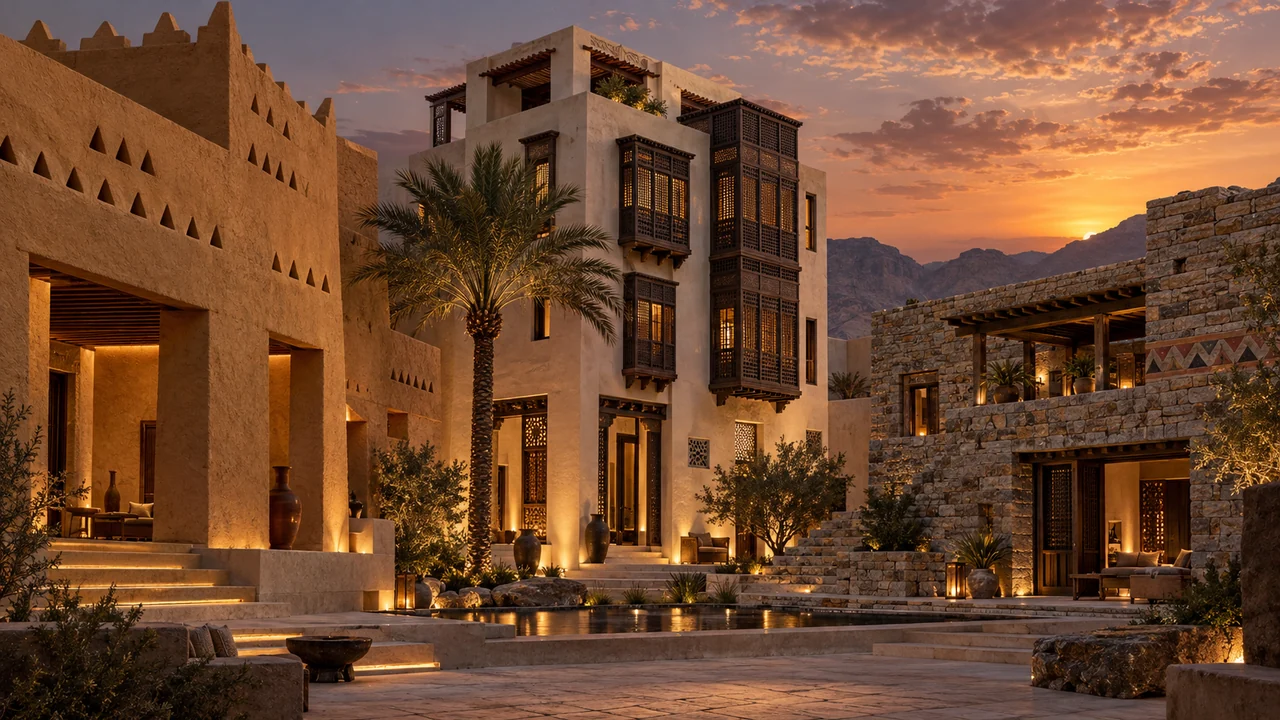
A regional character becomes convincing when material, shade, proportion and detail work together. Adding a decorative band to an otherwise unrelated building rarely explains the whole design. The Saudi architecture collection gives you nineteen starting directions for exploring that relationship, while the official guide remains the reference for the project’s actual regional and planning context.
Read the context before choosing a style
The official Saudi Architecture resource identifies nineteen architectural styles across the Kingdom. Its design guidance addresses buildings and public spaces in relation to local character. Use the relevant regional document and the project’s confirmed location; a visually appealing thumbnail does not determine which guidance applies to a site.
The application collection organises a visual exploration around these regional directions. Review the selected style’s feature and palette information, then choose traditional, transitional or contemporary interpretation. These are concept controls; the applicable approach for a real project still needs confirmation against its planning context and official guidance.
- 01Choose the region
Select the relevant architectural character from 19 directions.
- 02Read the guide
Check materials, palette and facade relationships in the source.
- 03Adapt the project
Keep known geometry and distinguish confirmed data from assumptions.
Adapt the character to the existing geometry
For a facade or model source, the compiled brief preserves the footprint, camera, major masses, storey count, openings and access. Regional materials, shallow articulation and crafted shading should work within that structure. Do not move a window merely to make a historical-looking ratio fit.
A contemporary interpretation can draw on the region’s palette, solid-to-void character and shading logic without copying every historic ornament. Specify where material changes belong: a recess, a plane change or a deliberate joint. Keep details scaled to the building and avoid mixing unrelated regional motifs.
Develop a contemporary Central Najdi facade concept from this source. Preserve the camera, massing, storeys, openings and entrance. Use warm earthen tones, restrained white gypsum highlights and crafted shade within the existing geometry. Align finish changes with real plane changes. Avoid unrelated ornament, new floors and added text.
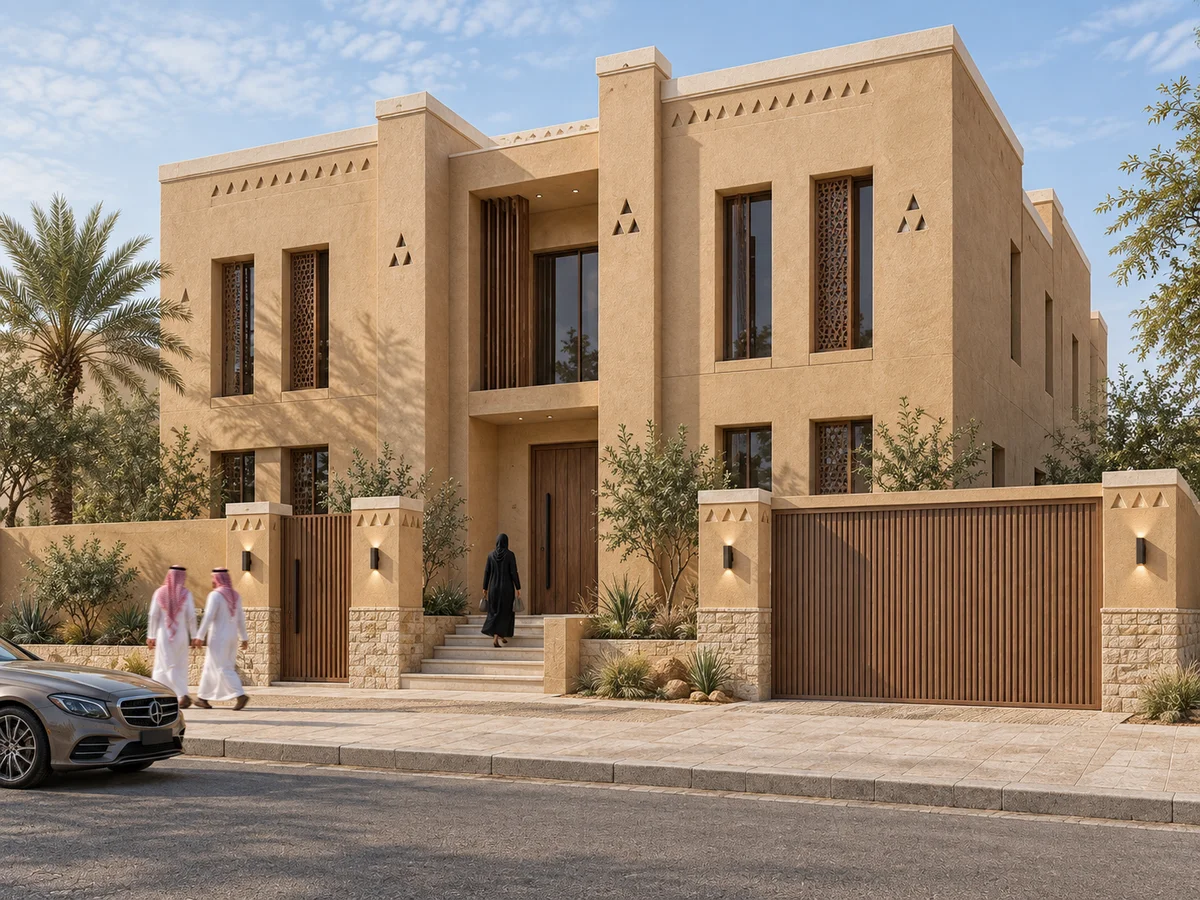 Najdi
Najdi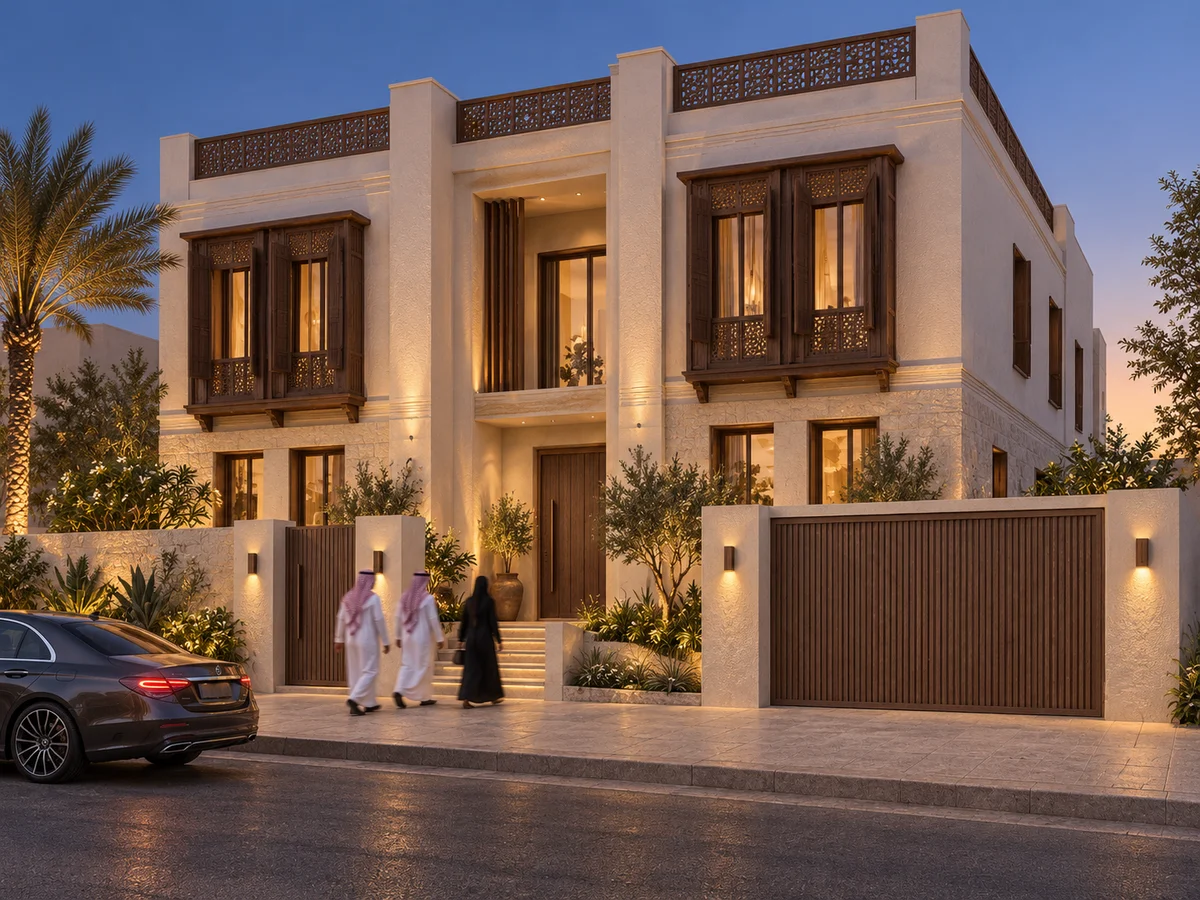 Hejazi coast
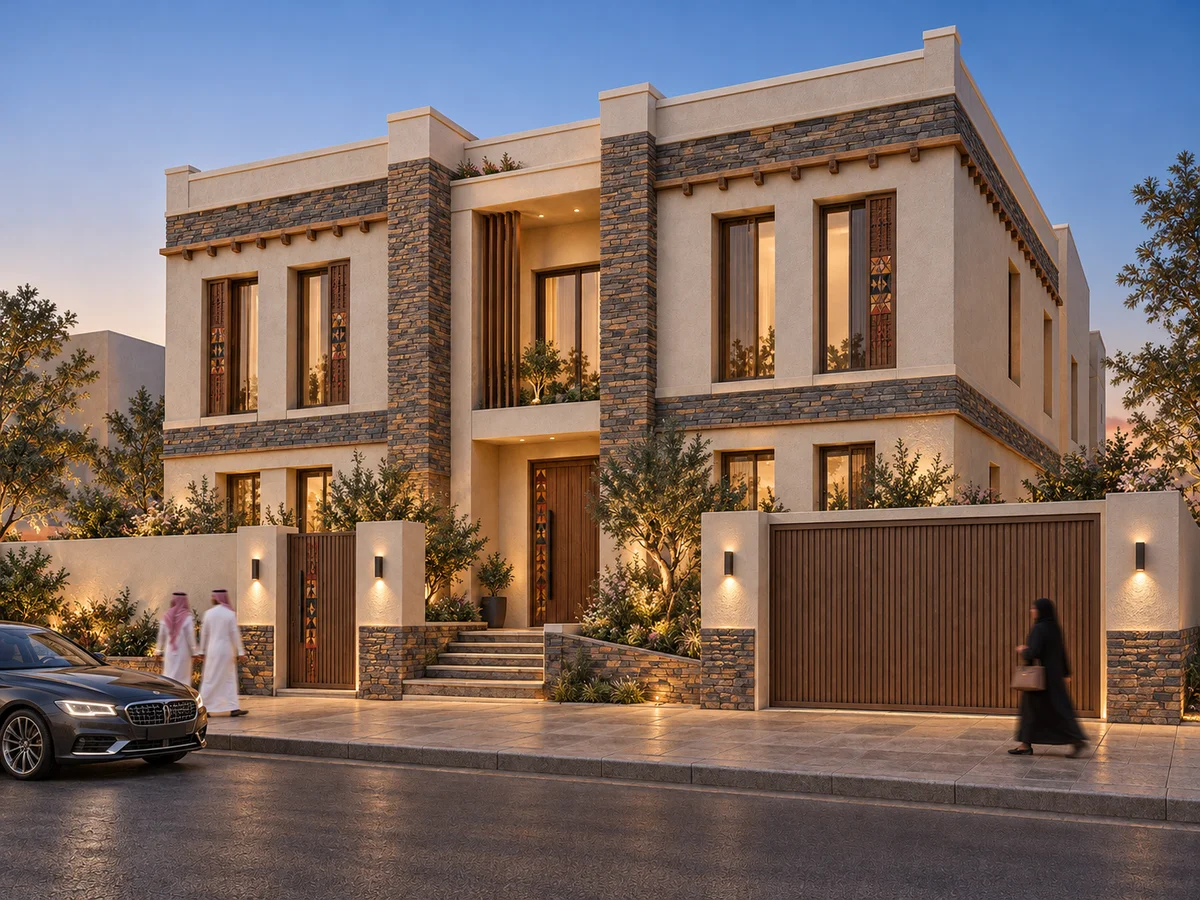 Abha highlands
Make plan assumptions explicit
When starting from a plan, select the drawn edge that represents the front facade. Top, bottom, left and right refer to the image; they do not establish geographic north. Enter the intended floors and floor-to-floor height, and add the frontage width when known.
A single-floor plan cannot verify the layout of invented upper storeys. Treat those storeys as conceptual, preserve readable entrances and circulation, and record any missing dimensions. The result is a plausible image direction rather than a measured elevation or a complete building design.
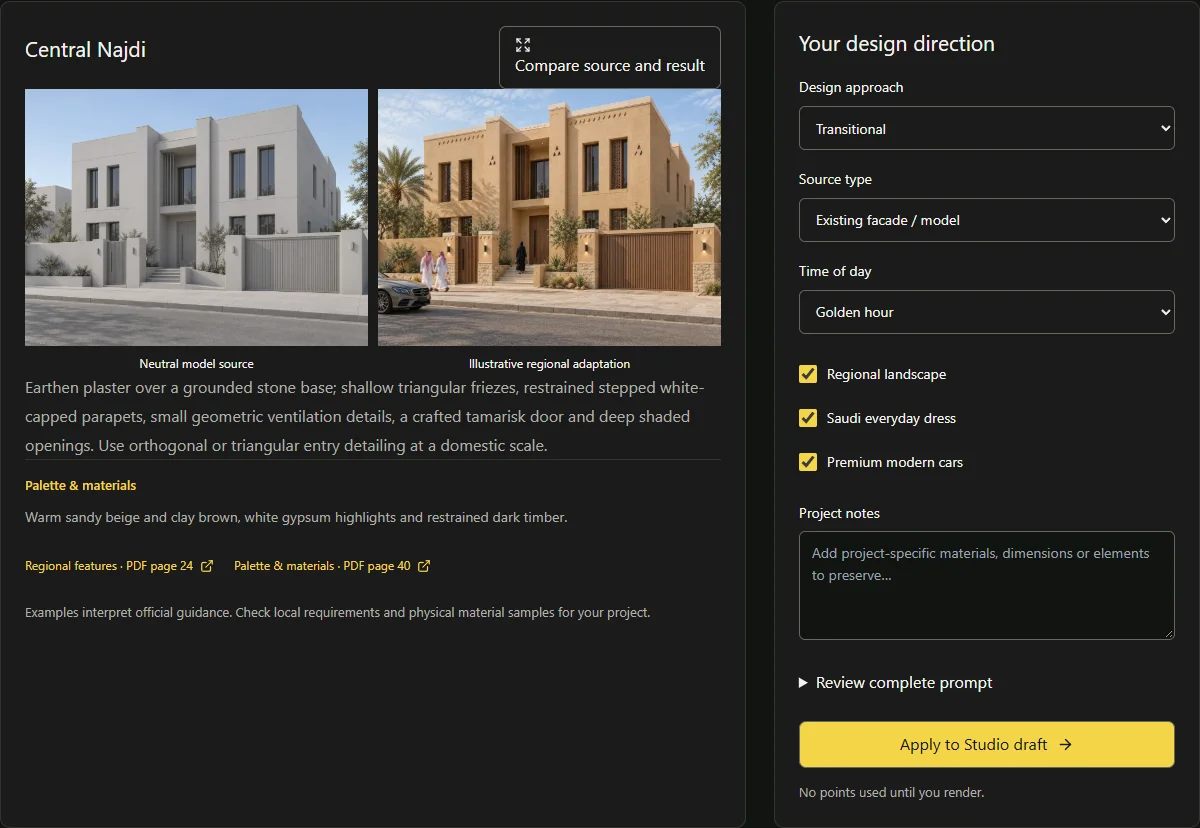 Pixels Art Studio
Review regional logic as well as atmosphere
Check openings, shading depth, material boundaries, human scale and climate-appropriate landscape before judging the sky or warm lighting. Compare the result with the source and the selected guide. A polished image does not establish compliance, structural feasibility or approval.
Use the concept to sharpen a design discussion with the project team, then develop and check the actual documentation through the appropriate professional process.
Sources & further reading
Model facts are linked to primary documentation. App controls depend on the selected model and settings.


A space for thoughtful feedback.
Questions, useful details and new ideas are all welcome.
Reader reviews
No published reviews yet. Your perspective could be the first.